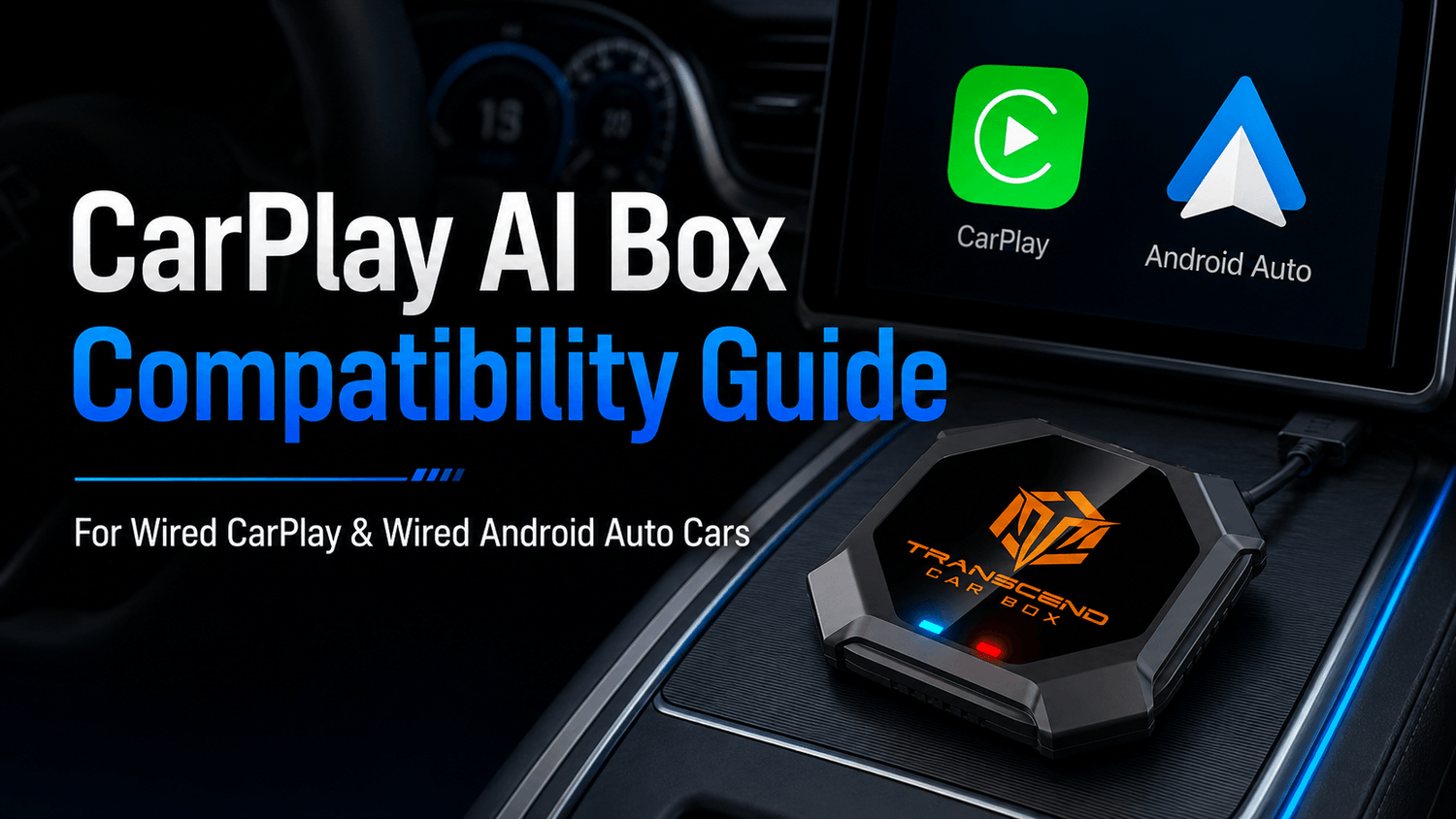

Thinking about upgrading your factory car screen with a CarPlay AI Box, but not sure whether it will work with your vehicle? You are not alone.
Before buying a CarPlay AI Box, the most important question is not only “What apps does it support?” but also:
Is my car compatible?
A CarPlay AI Box can be a powerful upgrade for your factory screen. It can add wireless CarPlay, wireless Android Auto, Android apps, YouTube, Netflix, Disney+, music apps, offline video playback, and more. But compatibility depends on your vehicle’s original infotainment system and USB data connection.
Transcend Car Box is designed for vehicles that support factory wired CarPlay or factory wired Android Auto through the original USB data port. If your car can launch CarPlay or Android Auto by connecting a phone with a USB cable, your vehicle may be compatible.
In this guide, we’ll explain how CarPlay AI Box compatibility works, how to check your car before ordering, and what you need to know before upgrading your factory screen.
Quick Answer: Does a CarPlay AI Box Work with My Car?
A CarPlay AI Box may work with your car if your vehicle supports factory wired Apple CarPlay or factory wired Android Auto through the original USB port.
For Transcend Car Box, your vehicle should meet at least one of these conditions:
-
Your car can launch Apple CarPlay when an iPhone is connected by USB
-
Your car can launch Android Auto when an Android phone is connected by USB
If your car only has Bluetooth audio, a basic USB charging port, or no factory CarPlay / Android Auto support, a CarPlay AI Box may not be compatible.
The safest way to check is simple: connect your phone to the factory USB port with a data cable and see whether CarPlay or Android Auto appears on your car screen.
What Is a CarPlay AI Box?
A CarPlay AI Box is a smart device that upgrades your factory car screen without replacing the original infotainment system.
Instead of installing a new head unit, the box connects to your vehicle through the original USB data port that supports wired CarPlay or wired Android Auto. Once connected, it can add a smart Android-based interface to your factory display.
With a compatible CarPlay AI Box such as Transcend Car Box, you can use features such as:
-
Wireless CarPlay
-
Wireless Android Auto
-
Android apps
-
YouTube
-
Netflix
-
Disney+
-
Kodi
-
Music apps
-
Navigation apps
-
SD card offline video playback
-
Bluetooth accessories
-
Plug-and-play USB connection
This makes it different from a basic wireless CarPlay adapter or wireless Android Auto adapter. A simple wireless adapter usually only removes the cable. A CarPlay AI Box gives your factory screen more app and entertainment functions.
The Most Important Requirement: Wired CarPlay or Wired Android Auto
The most important compatibility requirement is whether your car supports factory wired CarPlay or factory wired Android Auto.
This does not mean ordinary Bluetooth. It also does not mean a USB port that only charges your phone.

A compatible vehicle should have a factory USB data port that can launch CarPlay or Android Auto on the original car screen.
Factory wired CarPlay means:
You can connect an iPhone to the car’s original USB port with a data cable, and Apple CarPlay appears on the factory screen.
Factory wired Android Auto means:
You can connect an Android phone to the car’s original USB port with a data cable, and Android Auto appears on the factory screen.
If one of these two systems works through USB, your vehicle may be compatible with Transcend Car Box.
How to Check If Your Car Has Wired CarPlay
If you use an iPhone, you can test wired CarPlay compatibility in a few simple steps.
Step 1: Use an iPhone and a real data cable
Use a cable that supports data transfer. Some cables are charge-only and may not launch CarPlay.
Step 2: Plug the iPhone into the factory USB port
Use the original USB port that belongs to the factory infotainment system. Some cars have multiple USB ports, but only one may support CarPlay.
Step 3: Wait for the CarPlay prompt
Your car screen or iPhone may ask for permission to enable Apple CarPlay.
Step 4: Confirm that CarPlay appears on the factory screen
If you can see Apple Maps, Phone, Music, Messages, or the CarPlay home screen, your vehicle supports wired CarPlay.
Step 5: Check your car settings if CarPlay does not appear
Some vehicles require CarPlay to be enabled in the infotainment settings. You can also check your owner’s manual if needed.
If wired CarPlay launches successfully, your car may be compatible with Transcend Car Box.
How to Check If Your Car Has Wired Android Auto
If you use an Android phone, you can test wired Android Auto compatibility in a similar way.
Step 1: Use an Android phone that supports Android Auto
Make sure Android Auto is available on your phone and updated if needed.
Step 2: Use a USB data cable
Just like CarPlay, Android Auto requires a proper data cable. A charge-only cable may not work.
Step 3: Connect your Android phone to the factory USB port
Use the USB port that connects to the car’s original infotainment system.
Step 4: Follow the on-screen prompts
Your phone or car screen may ask for permission to start Android Auto.
Step 5: Confirm that Android Auto appears on the factory screen
If Google Maps, music apps, calls, messages, or the Android Auto interface appear on your car screen, your vehicle supports wired Android Auto.
If wired Android Auto launches successfully, your car may be compatible with Transcend Car Box.

Compatibility Checklist Before Buying a CarPlay AI Box
Before ordering a CarPlay AI Box, use this checklist to reduce the risk of compatibility issues.
Your car is more likely to be compatible if:
-
It has factory wired Apple CarPlay
-
Or it has factory wired Android Auto
-
CarPlay or Android Auto launches when a phone is connected by USB
-
You are using the original factory infotainment screen
-
The USB port supports data transfer, not only charging
-
The car screen responds normally to wired CarPlay or wired Android Auto
-
The infotainment system has not been heavily modified
Your car may not be compatible if:
-
It only supports Bluetooth audio
-
The USB port only charges your phone
-
It does not support Apple CarPlay or Android Auto
-
It has no factory infotainment screen
-
It uses an aftermarket screen with unknown CarPlay or Android Auto support
-
Wired CarPlay and wired Android Auto do not launch through USB
-
The factory system blocks third-party smart box connections
Transcend Car Box is not designed to work with every vehicle. It is designed for vehicles with factory wired CarPlay or factory wired Android Auto. Always check compatibility before purchase.
Does Transcend Car Box Work with Wired CarPlay Cars?
Yes. Transcend Car Box supports vehicles with factory wired Apple CarPlay.
If your iPhone can connect to your car through a USB cable and Apple CarPlay appears on the original factory screen, your car may be compatible.
After setup, Transcend Car Box can upgrade the factory screen with features such as wireless CarPlay, Android apps, YouTube, Netflix, Disney+, SD card playback, and more.
This is useful for drivers who want to keep their original screen but add more smart entertainment functions.
Does Transcend Car Box Work with Wired Android Auto Cars?
Yes. Transcend Car Box also supports vehicles with factory wired Android Auto.
If your Android phone can connect to your car through a USB cable and Android Auto appears on the original factory screen, your car may be compatible.
This is important because not every driver uses an iPhone. Android users may also want a smarter factory screen experience, wireless Android Auto, streaming apps, and Android-based features.
Before ordering, make sure your Android Auto connection works through the original USB data port.
Does a CarPlay AI Box Work with Wireless CarPlay Cars?
Some newer vehicles already come with wireless CarPlay. In this case, compatibility depends on whether the car also supports a wired CarPlay or wired Android Auto USB connection.
Even if your car has wireless CarPlay, you should still check whether the factory USB port can launch wired CarPlay or wired Android Auto.
Why?
Because many CarPlay AI boxes rely on the vehicle’s original wired smartphone projection system to start the connection. If your car only supports wireless CarPlay and does not have a working wired CarPlay or wired Android Auto data port, compatibility may be limited.
The best test is still simple:
Connect your phone by USB and check whether CarPlay or Android Auto launches on the car screen.
Is Bluetooth Enough for a CarPlay AI Box?
No. Bluetooth alone is not enough.
Bluetooth audio only allows your phone to play music, make calls, or connect basic audio features. It does not provide the same data connection as wired CarPlay or wired Android Auto.
A CarPlay AI Box needs a proper factory infotainment connection through a USB data port. If your car only has Bluetooth but no CarPlay or Android Auto support, Transcend Car Box may not work with your vehicle.
Is a USB Charging Port Enough?
No. A charging-only USB port is not enough.
Some vehicles have several USB ports. One may support CarPlay or Android Auto, while another may only charge devices. A CarPlay AI Box should be connected to the USB port that supports the factory smartphone projection system.
If your phone only charges but CarPlay or Android Auto does not appear, try another USB port or another data cable.
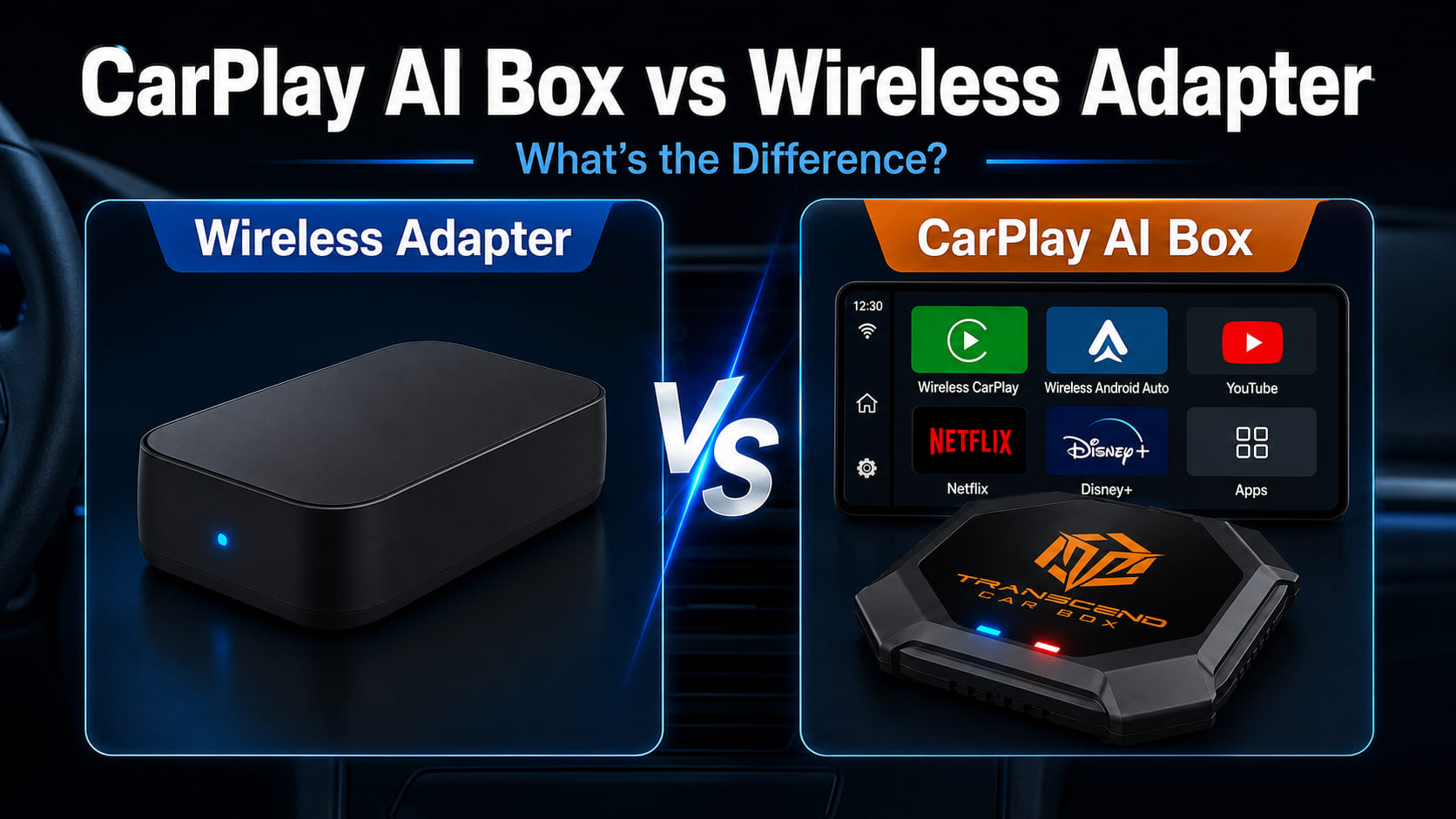
CarPlay AI Box vs Basic Wireless Adapter
Many people confuse a CarPlay AI Box with a basic wireless CarPlay adapter or wireless Android Auto adapter. They are different products.
A basic wireless adapter mainly converts a wired connection into a wireless one. A CarPlay AI Box offers a more complete smart screen upgrade.

| Feature | Basic Wireless Adapter | CarPlay AI Box |
|---|---|---|
| Wireless CarPlay | Yes, depending on model | Yes |
| Wireless Android Auto | Some models | Yes, depending on compatibility |
| Android-based system | Usually no | Yes |
| YouTube | Usually no | Yes, when safely parked |
| Netflix | Usually no | Yes, when safely parked |
| Disney+ | Usually no | Yes, when safely parked |
| Kodi | Usually no | Yes |
| SD card offline playback | Usually no | Yes, depending on device |
| Android app installation | No | Yes |
| Best for | Removing the cable | Upgrading the factory screen with apps and entertainment |
If you only want to remove the cable, a basic wireless adapter may be enough. But if you want wireless CarPlay, wireless Android Auto, Android apps, streaming entertainment, and offline playback, a CarPlay AI Box is usually the better choice.
What Can You Do After Installing Transcend Car Box?
After successful setup, Transcend Car Box can turn your original car screen into a smarter entertainment and connectivity system.
Depending on your vehicle and setup, you can use:
-
Wireless CarPlay for iPhone
-
Wireless Android Auto for Android phones
-
YouTube
-
Netflix
-
Disney+
-
YouTube TV
-
ESPN
-
Tubi
-
HBO Max
-
Prime Video
-
Peacock
-
Plex
-
Kodi
-
Music apps
-
Navigation apps
-
SD card offline video playback
-
Bluetooth accessories
This makes Transcend Car Box a strong option for road trips, family travel, camping, EV charging stops, or daily driving convenience.
Video apps should only be used when parked or by passengers where legally allowed. Drivers should never watch videos while driving.
Why Choose Transcend Car Box?
Transcend Car Box is designed for drivers who want more than a simple wireless adapter.
It supports vehicles with factory wired CarPlay or factory wired Android Auto and helps upgrade the original factory screen without replacing the infotainment system.
Key features include:
-
Wireless CarPlay
-
Wireless Android Auto
-
Android apps
-
YouTube, Netflix, Disney+, and more
-
SD card offline playback
-
Plug-and-play USB connection
-
Bluetooth accessory support
-
8GB RAM
-
128GB storage
-
Qualcomm 665 processor
-
Android-based system
-
Global free shipping
-
30-day return policy
-
365-day warranty
-
24-hour support
With 8GB RAM and 128GB storage, Transcend Car Box gives you enough performance and space for apps, media, and daily use. It is a practical upgrade for users who want a smarter factory car screen experience.
What Information Should You Prepare Before Ordering?
If you are not sure whether your car is compatible, prepare the following information before contacting support:
-
Car brand
-
Car model
-
Model year
-
Whether your car supports wired CarPlay
-
Whether your car supports wired Android Auto
-
Whether the screen is original factory equipment
-
A photo of your car screen
-
A photo of the USB port
-
Whether CarPlay or Android Auto launches through USB
This information helps confirm whether Transcend Car Box is likely to work with your vehicle.
Common Compatibility Questions
My car has wired CarPlay. Can I use Transcend Car Box?
Yes. If your car supports factory wired CarPlay through the original USB port, your vehicle may be compatible with Transcend Car Box.
My car has wired Android Auto. Can I use Transcend Car Box?
Yes. Transcend Car Box also supports vehicles with factory wired Android Auto. If Android Auto launches through USB on your factory screen, your vehicle may be compatible.
My car only has Bluetooth. Will it work?
Usually no. Bluetooth alone is not enough. Transcend Car Box needs factory wired CarPlay or wired Android Auto support through the original USB data port.
My USB port only charges my phone. Is that enough?
No. A charging-only USB port is not enough. The USB port needs to support CarPlay or Android Auto data connection.
My car already has wireless CarPlay. Do I still need wired CarPlay?
You should still check whether your car can launch wired CarPlay or wired Android Auto through USB. Some AI boxes depend on a wired smartphone projection connection to work properly.
Does Transcend Car Box replace my original screen?
No. Transcend Car Box does not replace your original screen. It connects through the factory USB data port and uses your existing car display.
Can I use Transcend Car Box with an iPhone?
Yes. iPhone users can use wireless CarPlay through Transcend Car Box when the vehicle is compatible.
Can I use Transcend Car Box with an Android phone?
Yes. Android users can use wireless Android Auto through Transcend Car Box when the vehicle and phone are compatible.
Can I watch YouTube or Netflix with Transcend Car Box?
Yes. Transcend Car Box can provide access to apps such as YouTube, Netflix, Disney+, and more through its Android-based system. These apps should only be used when parked or by passengers where legally allowed.
Does a CarPlay AI Box work with every car?
No. Compatibility depends on the vehicle’s factory infotainment system, USB data port, and wired CarPlay or wired Android Auto support. Always check before ordering.
Final Compatibility Checklist
Before buying Transcend Car Box, ask yourself these questions:
-
Does my car have factory wired CarPlay?
-
Or does my car have factory wired Android Auto?
-
Can my phone launch CarPlay or Android Auto through USB?
-
Am I using the original factory car screen?
-
Is the USB port a data port, not only a charging port?
-
Do I want more than a basic wireless adapter?
-
Do I want YouTube, Netflix, Disney+, Android apps, wireless CarPlay, or wireless Android Auto?
If the answer is yes, Transcend Car Box may be a smart upgrade for your vehicle.
Upgrade Your Factory Screen with Transcend Car Box

(Video apps should only be used when parked or by passengers where legally allowed. Drivers should never watch videos while driving)
A CarPlay AI Box is one of the easiest ways to upgrade your factory car screen without replacing the original infotainment system.
If your vehicle supports factory wired CarPlay or factory wired Android Auto, Transcend Car Box can help you add wireless CarPlay, wireless Android Auto, Android apps, YouTube, Netflix, Disney+, SD card playback, and more.
Before ordering, confirm that your car supports wired CarPlay or wired Android Auto through the original USB data port.

コメントを書く
全てのコメントは、掲載前にモデレートされます
このサイトはhCaptchaによって保護されており、hCaptchaプライバシーポリシーおよび利用規約が適用されます。