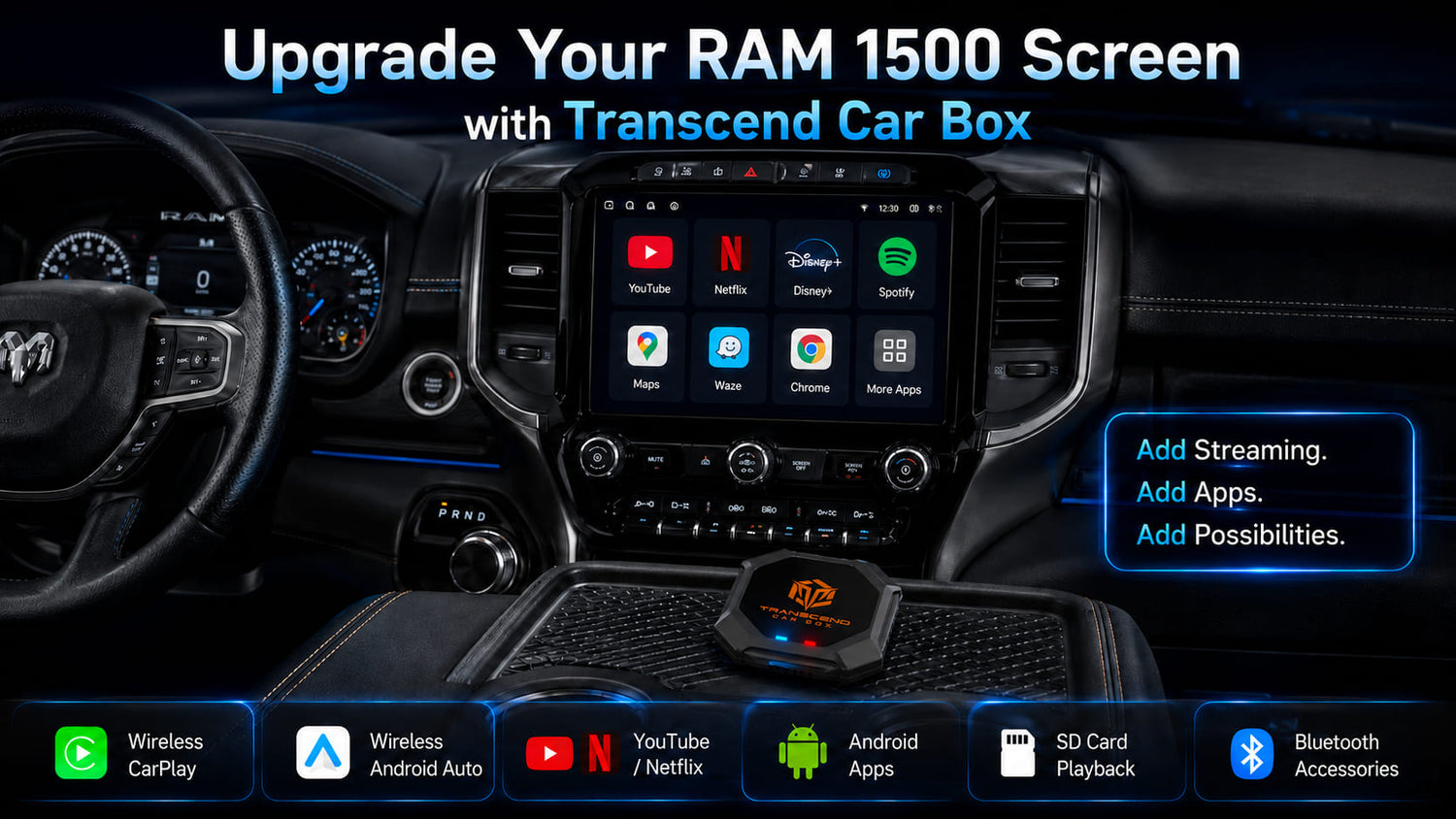

The RAM 1500 is more than a daily pickup truck. For many owners, it is a work vehicle, road trip partner, camping setup, family hauler, towing machine, and weekend escape vehicle.
Many RAM 1500 models already come with a capable Uconnect screen. But if you want more than standard Apple CarPlay or Android Auto, you may be wondering:
Can I add YouTube, Netflix, Disney+, Android apps, wireless CarPlay, wireless Android Auto, or offline video playback to my RAM 1500 screen?
That is where a CarPlay AI Box may help.
Transcend Car Box is designed for compatible vehicles and aftermarket head units that support wired CarPlay or wired Android Auto through a USB data connection. For RAM 1500 owners, the most important question is not simply whether your truck has a screen. The real question is whether your RAM 1500 can launch wired CarPlay or wired Android Auto through USB.
If it can, Transcend Car Box may be compatible.
Video apps should only be used when the vehicle is parked or by passengers where legally allowed. Drivers should never watch videos while driving.
Quick Answer: Does a CarPlay AI Box Work with RAM 1500?
Transcend Car Box may work with RAM 1500 models that support wired CarPlay or wired Android Auto through a USB data connection.
A simple way to check is this:
Connect your iPhone or Android phone to the RAM 1500 USB data port using a data cable. If Apple CarPlay or Android Auto launches on the Uconnect screen, your truck may be compatible with a CarPlay AI Box.
However, compatibility is not guaranteed for every RAM 1500. It can depend on several factors, including:
- Model year
- Uconnect version
- Screen size
- USB port type
- Software or firmware
- Whether the USB port supports data transfer
- Whether wired CarPlay or wired Android Auto works normally
Bluetooth alone is not enough. A charging-only USB port is also not enough. The truck needs a working wired CarPlay or wired Android Auto connection through USB.
If you are not sure, check your vehicle before ordering or contact support with your RAM 1500 model year, screen photos, and USB port photos.
RAM 1500, Uconnect, Apple CarPlay, and Android Auto
RAM 1500 trucks may use different Uconnect systems depending on the model year, trim, and screen configuration.
Some newer RAM 1500 models include Apple CarPlay and Android Auto support. Some versions may support wireless smartphone connectivity, while others may require a USB cable. The exact setup can vary by vehicle and equipment.
For a CarPlay AI Box, the key point is simple:
Your RAM 1500 should support wired CarPlay or wired Android Auto through a USB data connection.
A large screen by itself does not guarantee compatibility. A Bluetooth connection does not guarantee compatibility either. USB music playback is also not the same as wired CarPlay or wired Android Auto.
The best test is to connect your phone with a cable and confirm whether CarPlay or Android Auto launches on the RAM screen.
How to Check If Your RAM 1500 Is Compatible

Before buying a CarPlay AI Box for your RAM 1500, use this checklist.
1. Check Your RAM 1500 Model Year and Screen
Start by identifying your RAM 1500 model year, trim, and Uconnect screen size.
This helps you understand what type of infotainment system your truck may have. However, do not rely only on model year or screen size. Two RAM 1500 trucks from similar years may still have different Uconnect configurations.
The final compatibility test should always be based on whether wired CarPlay or wired Android Auto works through USB.
2. Test Wired CarPlay with an iPhone
If you use an iPhone, connect it to the RAM 1500 USB data port with a high-quality data cable.
Then check whether Apple CarPlay appears on the Uconnect screen.
If wired CarPlay launches normally, your RAM 1500 may be compatible with Transcend Car Box.
If only charging happens, or if the screen does not detect CarPlay, that USB port may not support the required connection.
3. Test Wired Android Auto with an Android Phone
If you use an Android phone, connect it to the RAM 1500 USB data port with a data cable.
If Android Auto launches on the Uconnect screen, your RAM 1500 may be compatible.
If Android Auto does not launch, check your phone settings, cable, USB port, and Uconnect settings before deciding that the vehicle is not compatible.
4. Use the Correct USB Port
Some vehicles have multiple USB ports.
One USB port may support data transfer, while another may only charge devices. If CarPlay or Android Auto does not launch from one port, try another USB port in the truck.
For a CarPlay AI Box, the USB port must support data communication with the infotainment system.
5. Check Your Uconnect Settings
If wired CarPlay or wired Android Auto does not start, check your Uconnect settings.
Look for smartphone projection, Apple CarPlay, Android Auto, USB connection, or device management settings.
In some cases, CarPlay or Android Auto may need to be enabled or approved on the screen.
6. Contact Support If You Are Not Sure
If you are unsure, prepare this information before contacting support:
- RAM 1500 model year
- Trim level
- Uconnect screen size
- Whether wired CarPlay works
- Whether wired Android Auto works
- Photos of your USB ports
- Photo of your Uconnect screen
- Any error message shown on the screen
This can help confirm whether Transcend Car Box is likely to work with your truck.
For a more general compatibility checklist, read our CarPlay AI Box Compatibility Guide
What Can Transcend Car Box Add to a RAM 1500 Screen?
If your RAM 1500 is compatible, Transcend Car Box can add more flexibility to your truck screen.
Instead of using only native Apple CarPlay or Android Auto features, you can access an Android-based system through the CarPlay AI Box.
Depending on your setup, Transcend Car Box can support:
- Wireless CarPlay
- Wireless Android Auto
- YouTube
- Netflix
- Disney+
- Kodi
- Android apps
- Music apps
- Navigation apps
- SD card offline video playback
- Bluetooth accessories
- Plug-and-play USB connection
This makes it useful for RAM 1500 owners who want a smarter screen experience without replacing the factory display.
For example, you may use wireless CarPlay for daily driving, Android apps when parked, and SD card offline playback during road trips or camping.
Can You Watch YouTube or Netflix on a RAM 1500 Screen?
Native Apple CarPlay and Android Auto are mainly designed for driving-friendly apps such as navigation, calls, messages, music, and podcasts.
They do not normally show video streaming apps like YouTube, Netflix, Disney+, or Prime Video directly on the car screen.
A CarPlay AI Box works differently. It provides an Android-based system on a compatible vehicle screen, which may allow access to entertainment apps such as YouTube, Netflix, Disney+, Kodi, and more.
With a compatible RAM 1500 setup, Transcend Car Box can help you use these apps on the truck screen, depending on app availability, account, region, software updates, and setup.
This can be useful when the truck is parked, during road trip breaks, at campsites, while waiting, or for passenger entertainment.
Drivers should never watch videos while driving. Video apps should only be used when parked or by passengers where legally allowed.
RAM 1500 Road Trip, Camping, and Passenger Entertainment Use Cases

The RAM 1500 is popular because it works well in many situations. It can be a daily truck, a long-distance road trip vehicle, a camping companion, a family vehicle, or a work truck.
That is why a smarter screen setup can make sense for many RAM 1500 owners.
Road Trip Breaks
During long drives, you may stop at rest areas, gas stations, scenic points, or parking lots.
When the vehicle is parked, Transcend Car Box can make the RAM 1500 screen more useful for entertainment, music, navigation, or apps.
Camping and Outdoor Trips
RAM 1500 owners often use their trucks for camping, fishing, tailgating, towing, and outdoor activities.
If mobile signal is weak, SD card offline playback can be especially useful. Instead of relying only on streaming apps or a phone hotspot, you can prepare offline videos before the trip.
Family and Passenger Entertainment
For families, road trips can involve long waiting times.
Passengers may want to watch YouTube, Netflix, Disney+, or offline videos while parked or during breaks. Transcend Car Box can help turn a compatible RAM 1500 screen into a more flexible entertainment system.
Work Breaks and Waiting Time
Some RAM 1500 owners spend time waiting between jobs, deliveries, service calls, or outdoor work.
A CarPlay AI Box can make that parked waiting time more comfortable by adding apps, video, music, and offline media options.
Does Transcend Car Box Work with Every RAM 1500?
No. Transcend Car Box does not work with every RAM 1500.
It may work with RAM 1500 models that support wired CarPlay or wired Android Auto through a USB data connection.
It may not work if:
- Your RAM 1500 does not support Apple CarPlay or Android Auto
- Your truck only supports Bluetooth audio
- Your USB port only charges devices
- Your screen only supports USB music playback
- Wired CarPlay does not launch through USB
- Wired Android Auto does not launch through USB
- Your Uconnect system has a restricted or unsupported setup
This is why testing wired CarPlay or wired Android Auto is important before ordering.
If your phone can connect to the RAM 1500 screen through USB and launch CarPlay or Android Auto normally, Transcend Car Box may be compatible.
What About Older RAM 1500 Models?
Older RAM 1500 models may not have factory Apple CarPlay or Android Auto support.
If your truck has an older factory Uconnect system without CarPlay or Android Auto, Transcend Car Box may not work with the original factory screen.

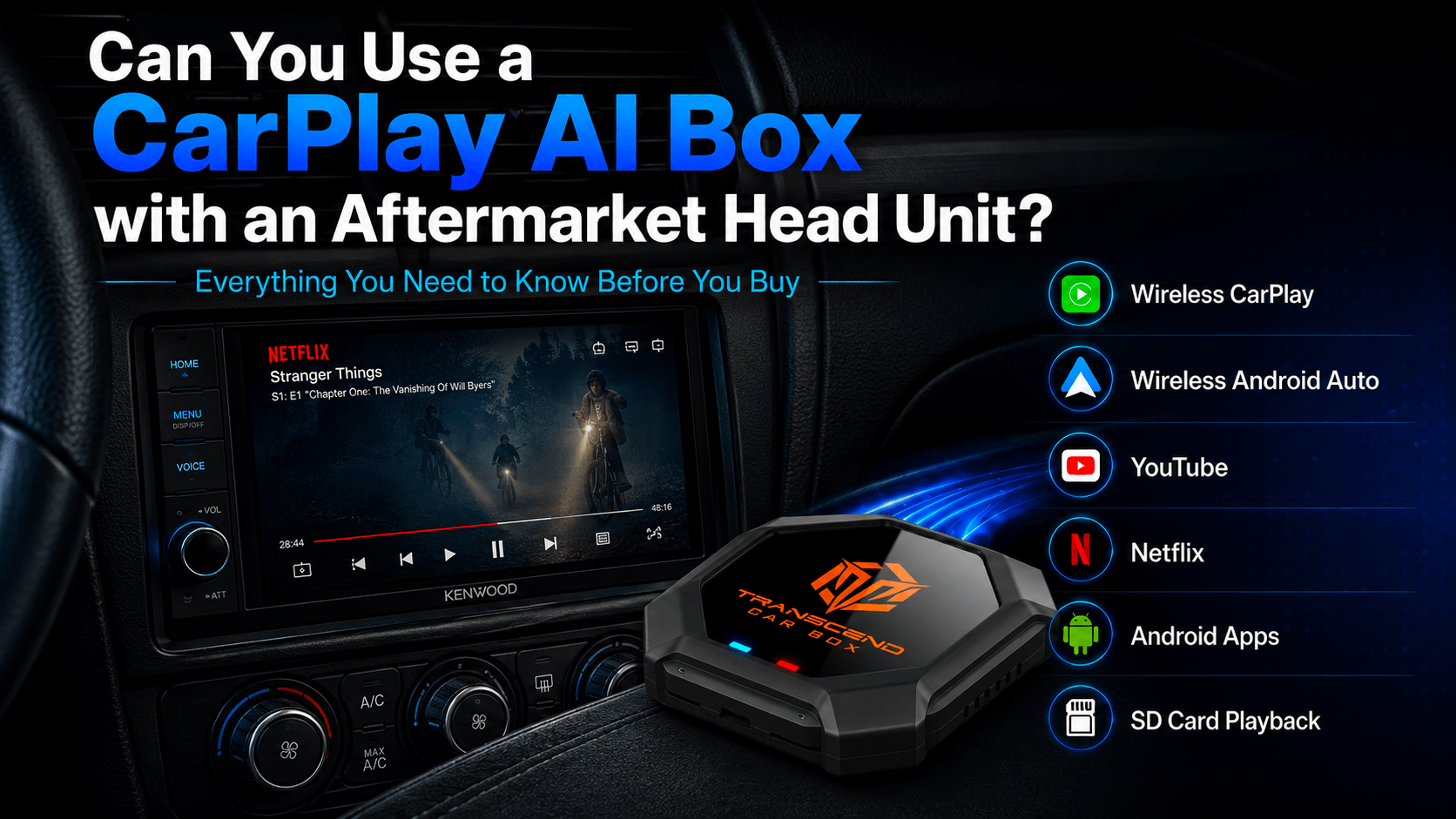
However, some older RAM 1500 owners install aftermarket head units from brands such as Kenwood, Pioneer, Alpine, Sony, or JVC. If your aftermarket head unit supports wired CarPlay or wired Android Auto through USB, Transcend Car Box may be compatible with that head unit.
In this case, the compatibility depends more on the aftermarket head unit than the original RAM 1500 factory system.
For more information, you can read our aftermarket head unit guide .
What to Check Before Buying for Your RAM 1500
Before ordering Transcend Car Box for your RAM 1500, check the following:
- What model year is your RAM 1500?
- What Uconnect screen does it have?
- Does wired Apple CarPlay work through USB?
- Does wired Android Auto work through USB?
- Are you using a USB data port, not a charging-only port?
- Does your screen respond normally when your phone is connected?
- Do you want only wireless CarPlay, or do you want apps and video features too?
- Do you want SD card offline video playback?
- Are you using the factory screen or an aftermarket head unit?
- Have you checked the return policy and warranty?
- Have you contacted support if unsure?
This checklist can help reduce compatibility mistakes and make sure you choose the right device.
You can also read our FAQ page.
Why Choose Transcend Car Box for RAM 1500?
Transcend Car Box is designed for drivers who want more than basic smartphone projection.
For compatible RAM 1500 screens, it can add entertainment, apps, wireless connectivity, and offline media playback in one device.
Key features include:
- Wireless CarPlay
- Wireless Android Auto
- YouTube
- Netflix
- Disney+
- Kodi
- Android apps
- SD card offline video playback
- Bluetooth accessories
- Plug-and-play USB connection
It is also built with strong hardware for a smoother experience:
- Qualcomm 665 processor
- 8GB RAM
- 128GB storage
- Android-based system
Transcend Car Box also includes:
- Global free shipping
- 30-day return policy
- 365-day warranty
- 24-hour support
If your RAM 1500 supports wired CarPlay or wired Android Auto through USB, Transcend Car Box may be a strong upgrade for your truck screen !
FAQ
Does a CarPlay AI Box work with RAM 1500?
A CarPlay AI Box may work with RAM 1500 models that support wired CarPlay or wired Android Auto through a USB data connection.
The best way to check is to connect your phone to the RAM 1500 USB data port and confirm whether CarPlay or Android Auto launches on the truck screen.
Does Transcend Car Box work with every RAM 1500?
No. Transcend Car Box does not work with every RAM 1500.
Compatibility depends on the model year, Uconnect system, USB port, and whether wired CarPlay or wired Android Auto works through USB.
Can I watch YouTube on my RAM 1500 screen?
With a compatible setup, Transcend Car Box can provide access to YouTube through its Android-based system on your RAM 1500 screen.
Video apps should only be used when parked or by passengers where legally allowed.
Can I watch Netflix on my RAM 1500 screen?
With a compatible RAM 1500 screen, Transcend Car Box can provide access to apps such as Netflix, depending on app availability, account, region, software updates, and setup.
Can I use Transcend Car Box if my RAM 1500 only has Bluetooth?
Usually no. Bluetooth alone is not enough.
Transcend Car Box requires a compatible wired CarPlay or wired Android Auto USB data connection.
What if my RAM 1500 already has wireless CarPlay?
Wireless CarPlay alone does not always confirm CarPlay AI Box compatibility.
You should still check whether your RAM 1500 supports wired CarPlay or wired Android Auto through USB.
Is a basic wireless CarPlay adapter enough for my RAM 1500?
If you only want to make wired CarPlay wireless, a basic wireless CarPlay adapter may be enough.
However, if you want YouTube, Netflix, Disney+, Android apps, SD card offline playback, wireless CarPlay, and wireless Android Auto on a compatible RAM 1500 screen, a CarPlay AI Box such as Transcend Car Box may be a better fit.
For a full comparison, read our CarPlay AI Box vs Wireless CarPlay Adapter guide
Can I use SD card offline videos in my RAM 1500?
Yes, Transcend Car Box supports SD card offline video playback, depending on file format and setup.
This can be useful for road trips, camping, weak signal areas, or parked passenger entertainment.
Does Transcend Car Box work with older RAM 1500 trucks?
Older RAM 1500 trucks may not support factory CarPlay or Android Auto.
If your older RAM 1500 has an aftermarket head unit that supports wired CarPlay or wired Android Auto through USB, Transcend Car Box may be compatible with that head unit.
Can I watch videos while driving?
Yes, Transcend Car Box can watch videos while driving. But drivers should never watch videos while driving.
Video apps should only be used when the vehicle is parked or by passengers where legally allowed.
Final Recommendation
If your RAM 1500 supports wired CarPlay or wired Android Auto through a USB data connection, Transcend Car Box may be a useful upgrade for your truck screen.
It can add wireless CarPlay, wireless Android Auto, YouTube, Netflix, Disney+, Kodi, Android apps, SD card offline video playback, Bluetooth accessories, and more to a compatible RAM 1500 display.
Before ordering, test your RAM 1500 USB connection and confirm that wired CarPlay or wired Android Auto launches normally.
If you want a smarter screen experience for road trips, camping, work breaks, family travel, and parked entertainment, Transcend Car Box is worth considering.

Leave a comment
All comments are moderated before being published.
This site is protected by hCaptcha and the hCaptcha Privacy Policy and Terms of Service apply.