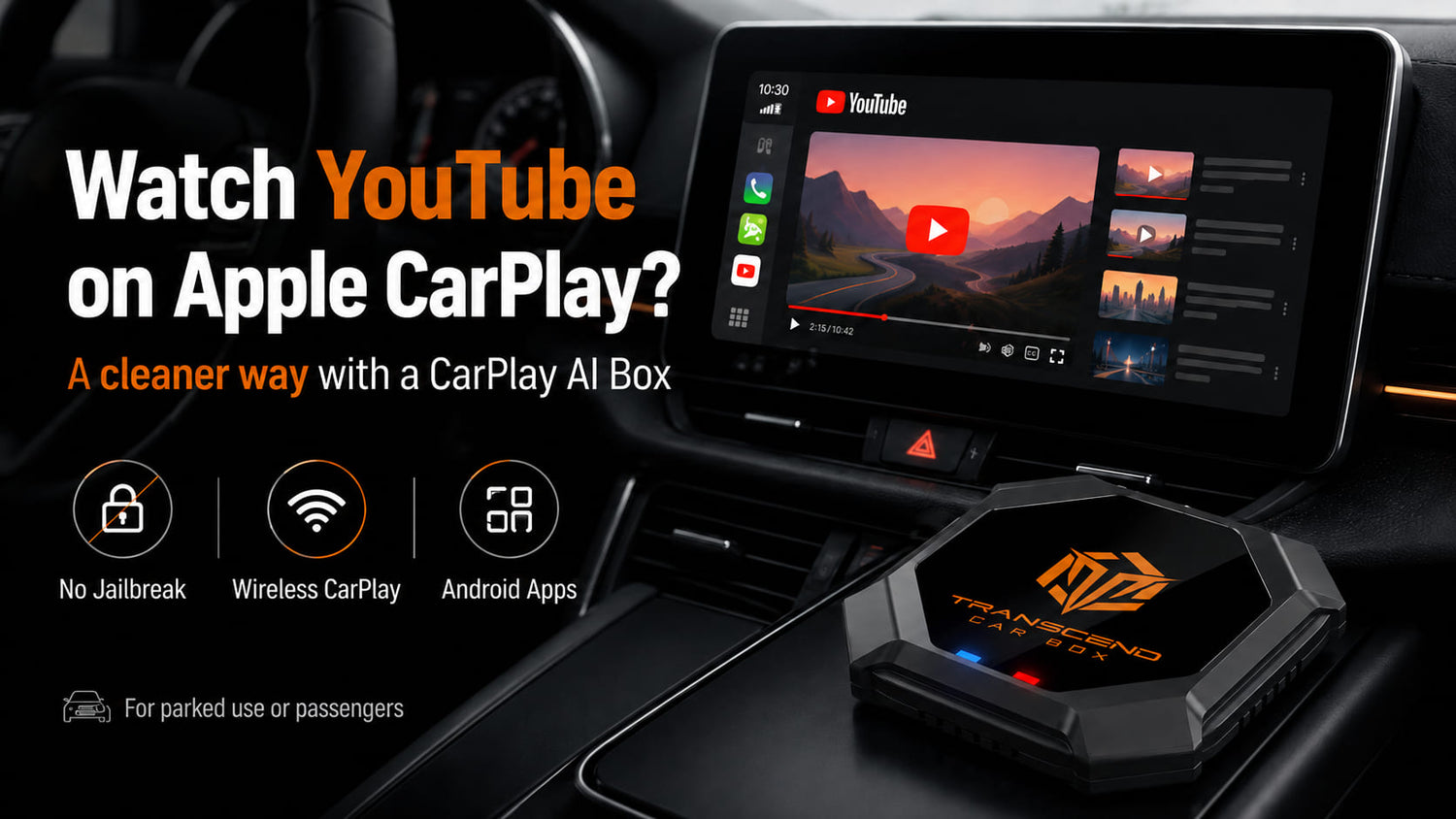

Many drivers want to watch YouTube on Apple CarPlay, especially when parked, waiting in the car, camping, charging, or taking a break during a road trip.
But if you connect your iPhone to regular Apple CarPlay, you may notice one thing immediately:
YouTube does not appear as a native CarPlay app.
That is normal. Native Apple CarPlay is mainly designed for driving-friendly apps such as navigation, calls, messages, podcasts, and music. Video apps like YouTube, Netflix, Disney+, and other streaming platforms are not normally supported inside standard Apple CarPlay.
So how can you watch YouTube on your car screen?
There are several possible methods, including jailbreak tools, screen mirroring, portable CarPlay screens, and CarPlay AI Boxes. In this guide, we’ll explain how each option works, what the risks are, and why a CarPlay AI Box is often the cleaner solution for compatible vehicles.
Video apps should only be used when the vehicle is parked or by passengers where legally allowed. Drivers should never watch videos while driving.
Can Apple CarPlay Play YouTube?
No, native Apple CarPlay does not normally support YouTube video playback.

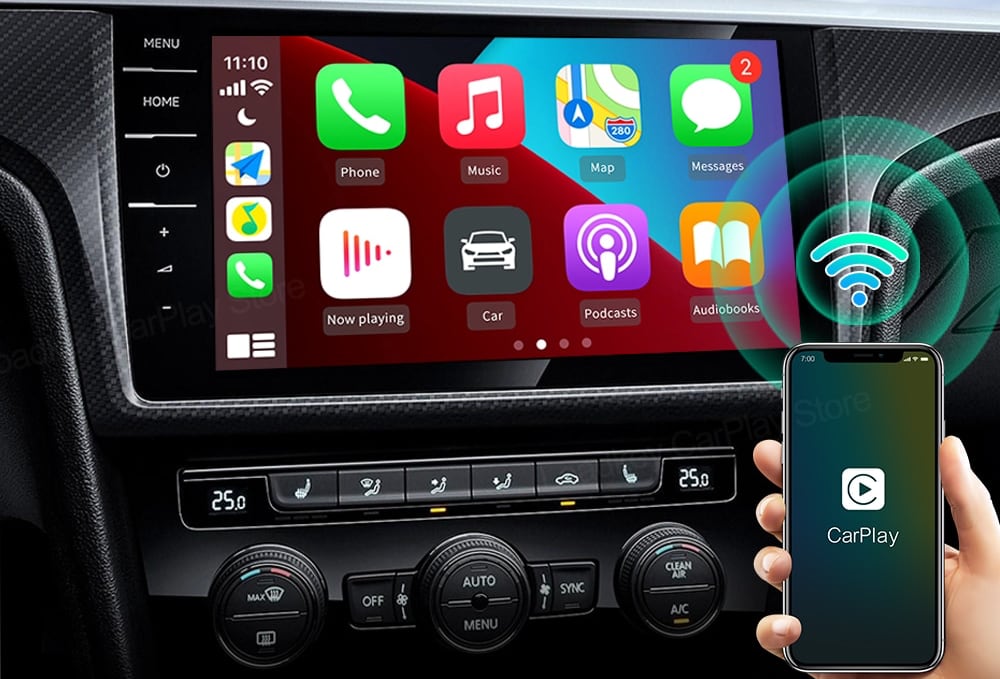
Apple CarPlay is built for safer, driving-friendly use. It focuses on apps such as:
-
Apple Maps
-
Google Maps
-
Waze
-
Phone
-
Messages
-
Music
-
Podcasts
-
Audiobooks
That means you usually cannot open YouTube directly inside regular Apple CarPlay.
If YouTube does not show up on your CarPlay screen, your system is not broken. It is working the way native CarPlay is designed to work.
To watch YouTube on a car screen, you usually need another solution, such as a CarPlay AI Box, screen mirroring device, portable CarPlay screen, or other external setup.
Why YouTube Does Not Show Up in Apple CarPlay
YouTube does not normally appear in Apple CarPlay because CarPlay limits video apps for safety and usability reasons.
CarPlay is designed to reduce driver distraction. That is why most supported apps are focused on navigation, communication, audio, and simple voice-controlled functions.
Video streaming apps such as YouTube, Netflix, Disney+, Max, and other entertainment apps are not normally available in the native CarPlay app list.
This is also why a basic iPhone-to-CarPlay connection will not turn your car screen into a video screen.
If your goal is to watch YouTube, Netflix, or other streaming apps on the car display while parked, you need a different type of solution.
Option 1: Jailbreak Your iPhone
Some users try to watch YouTube on Apple CarPlay by jailbreaking their iPhone and installing third-party tweaks.
Examples may include tools such as:
-
CarBridge
-
NGXPlay
-
WheelPal
-
CarPlayEnable
-
Similar jailbreak-based CarPlay tools
These tools may allow additional apps to appear on CarPlay, including apps that are not normally supported by Apple CarPlay.
However, jailbreaking is not recommended for most users.
There are several risks:
-
It may reduce iPhone security
-
It may stop working after iOS updates
-
It may not support newer iOS versions
-
It may create privacy risks
-
It may create payment or account risks
-
Some tools may require subscriptions or third-party payment pages
-
DRM-protected apps like Netflix or Disney+ may still not work properly
-
It may make your phone unstable
For users who only want to watch YouTube on the car screen while parked, jailbreaking can be too complicated and risky.
It also depends heavily on iOS version, app support, and third-party tool reliability.
For most drivers, jailbreaking is not the cleanest or safest way to watch YouTube on Apple CarPlay.
Option 2: Use Screen Mirroring or a Portable CarPlay Screen
Another option is screen mirroring.
Some apps or devices may allow you to mirror your phone screen to a car display or a portable CarPlay screen. This may work for YouTube in some cases.
Portable CarPlay screens can also be installed in older vehicles that do not have a built-in infotainment display.
This can be useful if your car only has a basic radio or does not have a modern touchscreen.
However, screen mirroring also has limitations:
-
Some apps block screen mirroring
-
Netflix and other DRM-protected apps may not display properly
-
Audio and video may not always stay perfectly synchronized
-
Image quality may vary
-
You may need to install another screen in your car
-
It may look less integrated than using the original car display
If your vehicle already has a factory screen or an aftermarket head unit, adding another portable screen just for YouTube may not be the most convenient option.
This is where a CarPlay AI Box can be a better solution for compatible cars.
Option 3: Use a CarPlay AI Box
A CarPlay AI Box is often the cleaner solution for drivers who want YouTube on a compatible car screen without jailbreaking their iPhone.

Instead of modifying your phone or relying on screen mirroring, a CarPlay AI Box connects to your car’s wired CarPlay or wired Android Auto USB port and provides an Android-based system on the car display.
That means you can access apps through the AI Box itself, not by forcing your iPhone to run unsupported CarPlay apps.
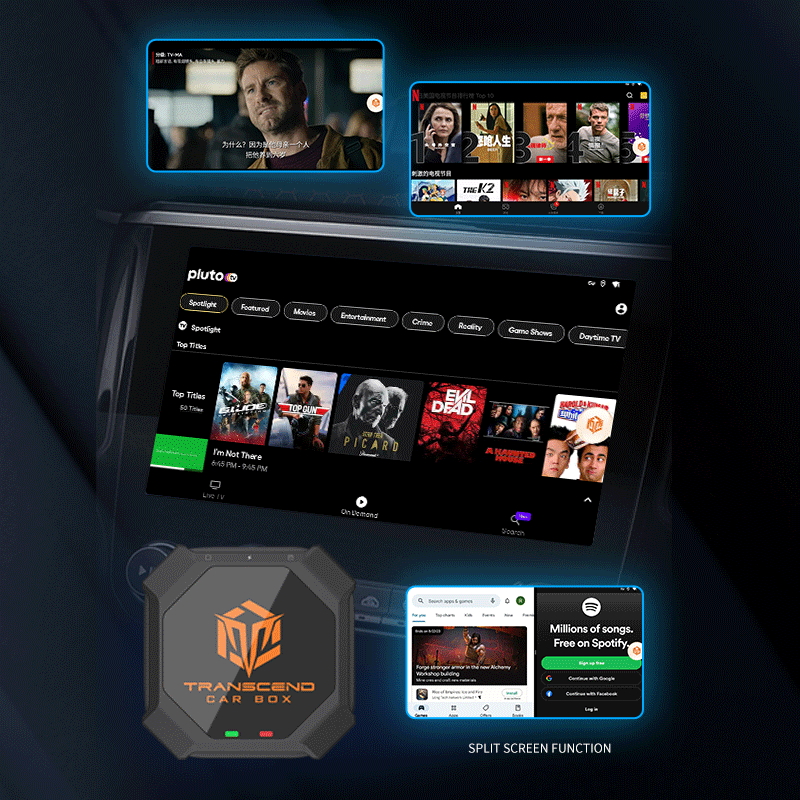
With a compatible setup, Transcend Car Box can add:
-
YouTube
-
Netflix
-
Disney+
-
Kodi
-
Android apps
-
Wireless CarPlay
-
Wireless Android Auto
-
SD card offline playback
-
Bluetooth accessories
-
Plug-and-play USB connection
Learn more about Transcend Car Box and how it upgrades compatible car screens.
Unlike jailbreak tools, Transcend Car Box does not require you to jailbreak your iPhone. It runs as an independent Android-based system on your compatible car screen.
It also allows you to keep using wireless CarPlay and wireless Android Auto for daily driving, while offering entertainment apps when parked or when passengers want to use the screen.
What You Need Before Using a CarPlay AI Box
Before buying a CarPlay AI Box, compatibility is the most important thing to check.
Transcend Car Box is designed for vehicles or compatible aftermarket head units that support wired CarPlay or wired Android Auto through a USB data connection.

Your car may be compatible if:
-
It supports wired Apple CarPlay
-
Or it supports wired Android Auto
-
CarPlay or Android Auto launches when your phone is connected by USB
-
The USB port supports data transfer
-
The car screen responds normally to wired CarPlay or wired Android Auto
Your car may not be compatible if:
-
The USB port only charges your phone
-
The car only supports Bluetooth
-
The screen only supports USB music playback
-
Wired CarPlay or wired Android Auto does not launch through USB
-
The system uses a restricted or non-standard setup
A charging-only USB port is not enough. Bluetooth alone is not enough. USB music playback is not the same as wired CarPlay or wired Android Auto.
For a full checklist, read our CarPlay AI Box Compatibility Guide.
If you have an older vehicle with an aftermarket screen, compatibility depends on whether that aftermarket head unit supports wired CarPlay or wired Android Auto through USB.
If your car uses a Kenwood, Pioneer, Alpine, Sony, JVC, or other aftermarket stereo, read our guide on using a CarPlay AI Box with an aftermarket head unit.
CarPlay AI Box vs Basic Wireless CarPlay Adapter
Many people confuse a CarPlay AI Box with a basic wireless CarPlay adapter.
They are not the same.

A basic wireless CarPlay adapter mainly turns wired CarPlay into wireless CarPlay. It is useful if you only want to remove the cable from your iPhone connection.
However, most basic wireless CarPlay adapters do not add YouTube, Netflix, Disney+, Android apps, or offline video playback.
A CarPlay AI Box is different. It provides an Android-based system with apps, media features, and wireless smartphone connectivity.
Here is the simple difference:
| Feature | Basic Wireless CarPlay Adapter | CarPlay AI Box |
|---|---|---|
| Wireless CarPlay | Yes | Yes |
| Wireless Android Auto | Some models | Yes, depending on compatibility |
| YouTube | Usually no | Yes, through Android-based system |
| Netflix | Usually no | Yes, through Android-based system |
| Disney+ | Usually no | Yes, app availability may vary |
| Android apps | No | Yes |
| SD card offline playback | No | Yes, depending on setup |
| Best for | Removing the cable | Full screen entertainment and app upgrade |
If you only want wireless CarPlay, a basic adapter may be enough.
But if you want YouTube, Netflix, Disney+, Android apps, offline playback, wireless CarPlay, and wireless Android Auto, a CarPlay AI Box is usually a better fit.
If you are comparing both options, read our CarPlay AI Box vs Wireless CarPlay Adapter guide.
Can You Watch Netflix, Disney+, or Other Streaming Apps Too?
Native Apple CarPlay does not normally support Netflix, Disney+, Max, or other video streaming apps.
With a compatible CarPlay AI Box, you may be able to access popular streaming apps through the Android-based system.
Transcend Car Box can support entertainment options such as:
-
YouTube
-
Netflix
-
Disney+
-
Kodi
-
Music apps
-
Navigation apps
-
Android apps
-
Offline videos from SD card
However, app availability, login behavior, video playback, and DRM restrictions may vary by app, region, account, and software updates.
For example, some streaming apps may update their playback rules over time. Some apps may require a subscription. Some apps may behave differently depending on region.
That is why it is better to say that a CarPlay AI Box can provide access to popular streaming apps, rather than promising that every app will work the same way forever.
If you are mainly interested in Netflix and streaming apps, link here to your existing article: Best Wireless CarPlay AI Boxes for Netflix & Streaming (2026).
Why Choose Transcend Car Box?
Transcend Car Box is designed for users who want more than basic wireless CarPlay.
It can turn a compatible factory or aftermarket car screen into a smarter Android-based entertainment and connectivity system.
With Transcend Car Box, you can get:
-
Wireless CarPlay
-
Wireless Android Auto
-
YouTube
-
Netflix
-
Disney+
-
Kodi
-
Android apps
-
SD card offline video playback
-
Bluetooth accessories
-
Plug-and-play USB setup
It is built with strong hardware for a smoother experience:
-
Qualcomm 665 processor
-
8GB RAM
-
128GB storage
-
Android-based system
It also comes with practical purchase support:
-
Global free shipping
-
30-day return policy
-
365-day warranty
-
24-hour support
For drivers who want a car video box or a car adapter to watch movies on a compatible car screen, Transcend Car Box offers a more complete upgrade than a basic wireless adapter.
When Should You Use YouTube on a Car Screen?
YouTube on a car screen can be useful in many parked or passenger situations.
For example:
-
Waiting in the car
-
Charging stops
-
Camping
-
Road trip breaks
-
Passenger entertainment
-
Family trips
-
Watching tutorials while parked
-
Playing videos during rest stops
However, safety always comes first.
Video apps should only be used when the vehicle is parked or by passengers where legally allowed. Drivers should never watch videos while driving.
A CarPlay AI Box can make your compatible car screen more useful, but it should be used responsibly.
What to Check Before Buying
Before ordering a CarPlay AI Box, check the following:
-
Does your car support wired CarPlay?
-
Does your car support wired Android Auto?
-
Does CarPlay or Android Auto launch when your phone is connected by USB?
-
Is the USB port a data port, not charge-only?
-
Are you using a factory screen or aftermarket head unit?
-
Do you want only wireless CarPlay, or do you also want YouTube and Netflix?
-
Do you need SD card offline playback?
-
Have you checked the return policy and warranty?
If you are not sure, prepare your vehicle brand, model, year, and a photo of your car screen before contacting support.
For more setup, compatibility, shipping, return, and warranty questions, visit our FAQs.
FAQ
Can Apple CarPlay play YouTube?
Native Apple CarPlay does not normally support YouTube video playback. Apple CarPlay is mainly designed for navigation, calls, messages, music, podcasts, and other driving-friendly apps.
Can I watch YouTube on CarPlay without jailbreak?
Yes, if your vehicle is compatible, a CarPlay AI Box can provide YouTube access on your car screen without jailbreaking your iPhone.
Does a wireless CarPlay adapter support YouTube?
Usually no. Most basic wireless CarPlay adapters only make wired CarPlay wireless. They usually do not add YouTube, Netflix, Disney+, or Android apps.
Can I watch Netflix on Apple CarPlay?
Native Apple CarPlay does not normally support Netflix. A compatible CarPlay AI Box can provide access to Netflix through its Android-based system.
Does Transcend Car Box work with every car?
No. Transcend Car Box requires a compatible wired CarPlay or wired Android Auto USB data connection. It does not work with every car.
Can I use Transcend Car Box with an aftermarket head unit?
It may work with aftermarket head units that support wired CarPlay or wired Android Auto through USB. Compatibility depends on the specific head unit model, firmware, and USB connection.
Can I watch YouTube while driving?
No. Although Transcend Car Box support playing Youtube while driving. But video apps should only be used when the vehicle is parked or by passengers where legally allowed. Drivers should never watch videos while driving.
Do I need to install apps on my iPhone?
No. A CarPlay AI Box runs its own Android-based system on a compatible car screen, so you do not need to jailbreak your iPhone or install unsupported CarPlay tweaks on your phone.
Does Transcend Car Box support offline video playback?
Yes, Transcend Car Box supports SD card offline playback, depending on file format and setup.
Final Recommendation
If you want to watch YouTube on Apple CarPlay, native CarPlay alone will not normally support it.
Jailbreak tools may work in some cases, but they can be risky, unstable, and dependent on iOS versions. Screen mirroring or portable displays may work for some users, but they can have app limitations and may require extra hardware.
For compatible vehicles, a CarPlay AI Box is usually the cleaner solution.
Transcend Car Box can add YouTube, Netflix, Disney+, Android apps, wireless CarPlay, wireless Android Auto, SD card offline playback, and more to a compatible car screen.
Before ordering, make sure your car or aftermarket head unit supports wired CarPlay or wired Android Auto through a USB data connection.

Leave a comment
All comments are moderated before being published.
This site is protected by hCaptcha and the hCaptcha Privacy Policy and Terms of Service apply.