Best Apps for Apple CarPlay & CarPlay AI Boxes in 2026
Apple CarPlay is one of the most popular smartphone integration systems in modern vehicles. It allows iPhone users to connect their phones to the factory car screen and use selected apps for navigation, music, calls, messages, podcasts, and more.
For many drivers, CarPlay makes the in-car experience cleaner, smarter, and safer. Instead of looking down at your phone, you can use supported apps directly on your car’s display through a simplified interface.
However, not every iPhone app works with Apple CarPlay. Native CarPlay mainly supports driving-friendly apps such as maps, audio, calls, and messaging. If you want to use entertainment apps such as YouTube, Netflix, Disney+, Kodi, or other Android apps on your factory car screen, you may need a CarPlay AI Box.
In this guide, we’ll explain the most popular Apple CarPlay apps, what native CarPlay can and cannot do, and how a CarPlay AI Box like Transcend Car Box can expand your factory screen with more entertainment and smart features.

What Apps Work with Apple CarPlay?
Apple CarPlay supports many apps that are designed for safe and convenient use while driving. These apps usually fall into a few main categories:
-
Navigation
-
Music
-
Calls
-
Messages
-
Podcasts
-
Audiobooks
-
Calendar
-
EV charging
-
Parking
-
Food ordering
-
News and sports audio
If an app supports CarPlay, it can appear on your car screen after you install it on your iPhone. You can usually manage which apps show up in CarPlay from your iPhone settings.
To do this, go to:
Settings > General > CarPlay > Select Your Car > Customize
From there, you can add, remove, or rearrange compatible CarPlay apps.
Built-in Apple Apps That Work with CarPlay
Some Apple apps are already built into the iPhone and can be displayed through CarPlay.
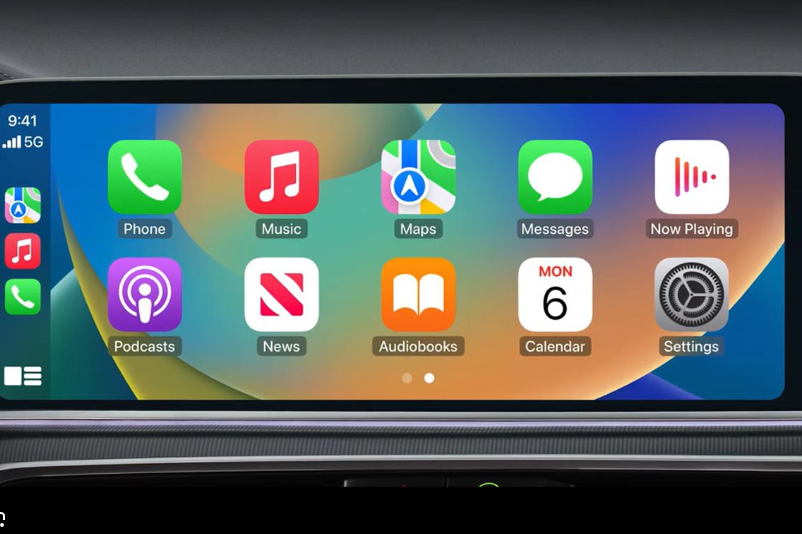
Phone
The Phone app lets you access Favorites, Recents, Contacts, Keypad, and Voicemail from your car screen. You can make and receive calls using Siri or your vehicle’s controls.
Apple Music
Apple Music works smoothly with CarPlay, allowing you to browse music, playlists, albums, radio, and recommendations.
Apple Maps
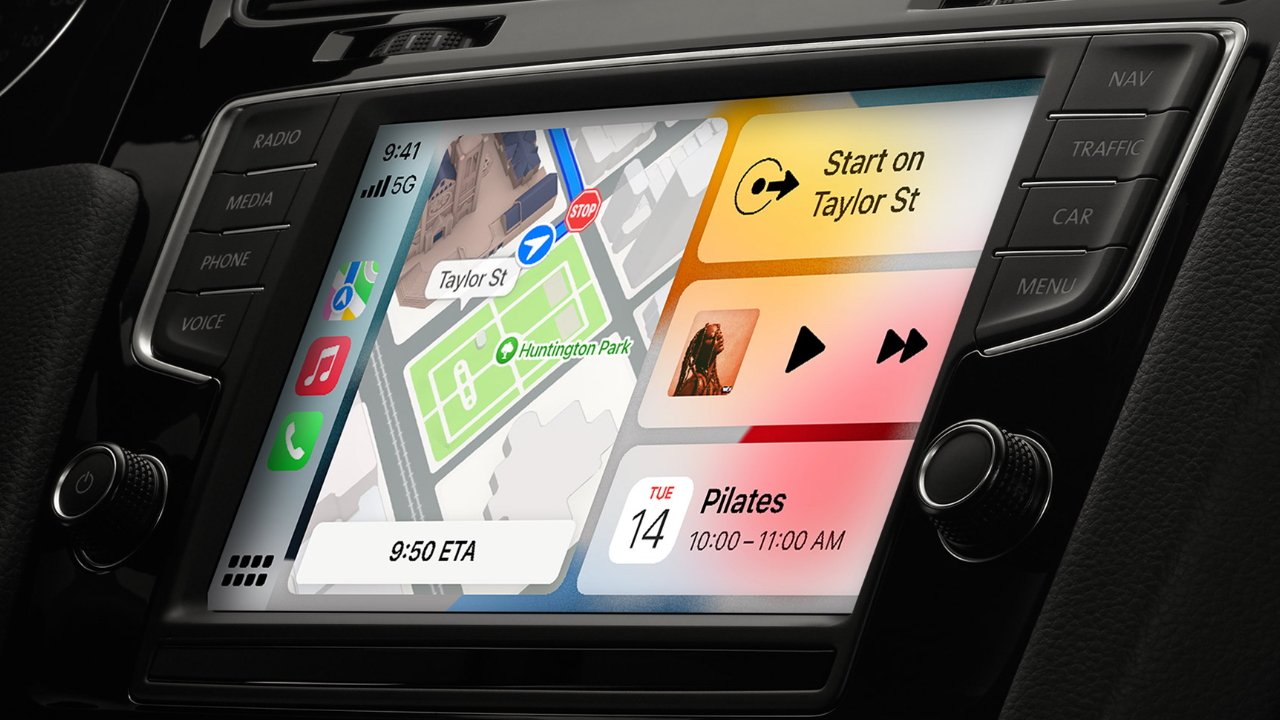
Apple Maps provides navigation, route planning, traffic information, lane guidance, estimated arrival time, and nearby points of interest.
Messages
With Siri, you can listen to incoming messages and send replies without typing on your phone.
Podcasts
Apple Podcasts works with CarPlay and lets you play your favorite podcast shows while driving.
Audiobooks
Apple Books can be used with CarPlay for audiobook playback.
Calendar
Calendar can show upcoming events and addresses, making it easier to navigate to scheduled locations.
Now Playing
Now Playing displays audio content from your current media app, similar to the audio controls on your iPhone.
Settings
CarPlay settings allow you to manage driving-related options such as appearance mode, Siri suggestions, and driving focus features.
Popular Third-Party Apps for Apple CarPlay
Besides Apple’s built-in apps, many third-party apps also support CarPlay. Here are some of the most popular categories.
Navigation Apps
Navigation is one of the most important uses of Apple CarPlay.
Popular CarPlay navigation apps include:
-
Google Maps
-
Waze
-
Apple Maps
These apps are useful for turn-by-turn directions, traffic updates, route suggestions, and estimated arrival times.
Music Apps
CarPlay supports many music and audio apps, making it easy to listen while driving.
Popular music apps include:
-
Spotify
-
Apple Music
-
Amazon Music
-
SiriusXM
-
TIDAL
-
YouTube Music
-
VLC
These apps are ideal for music streaming, playlists, radio, and offline audio playback.
Messaging and Communication Apps
CarPlay can also support messaging and communication apps, usually through voice control.
Popular communication apps include:
-
WhatsApp
-
Telegram
-
LINE
-
Messages
For safety, most messaging functions are handled by Siri or voice commands instead of manual typing.
Podcasts and Audiobooks
If you enjoy long drives, podcasts and audiobooks can make the trip more enjoyable.
Popular options include:
-
Apple Podcasts
-
Spotify
-
Audible
-
Overcast
-
TuneIn Radio
These apps are great for listening to books, interviews, news, and educational content while driving.
EV Charging and Parking Apps
For electric vehicle owners, CarPlay-compatible charging and parking apps can be very useful.
Popular apps include:
-
ChargePoint
-
PlugShare
-
SpotHero
-
PUMP
These apps can help drivers find charging stations, parking locations, and route-related services.
Food and Ordering Apps
Some food apps also support CarPlay, making it easier to order or pick up food during a trip.
Popular examples include:
-
Domino’s
-
Dunkin’
-
Panera Bread
Availability may vary by region and app version.
News and Sports Apps
CarPlay can support some news and sports audio apps, allowing users to listen to updates while driving.
Popular apps include:
-
NPR One
-
CNBC
-
MLB
-
NBA
-
NHL
-
NBC Sports Scores
These apps are mostly designed for audio updates, scores, and news rather than full video playback.
Can You Watch YouTube, Netflix, or Disney+ on Apple CarPlay?
Native Apple CarPlay does not support video streaming apps such as YouTube, Netflix, Disney+, Hulu, or Prime Video.
This is mainly because Apple CarPlay is designed for driving-related use. The native CarPlay system focuses on navigation, music, calls, messages, podcasts, and other apps that are safer to use while driving.
So if you install YouTube or Netflix on your iPhone, they will not normally appear on the Apple CarPlay screen.
However, many drivers want to enjoy video entertainment when parked, waiting, camping, charging an EV, or taking a break during a road trip. This is where a CarPlay AI Box becomes useful.
Native Apple CarPlay Apps vs CarPlay AI Box Apps
A regular Apple CarPlay system and a CarPlay AI Box are not the same.
Native CarPlay mainly mirrors supported iPhone apps in a driving-friendly interface. A CarPlay AI Box adds an Android-based system to your factory car screen, allowing access to more apps and entertainment features.
| Feature | Native Apple CarPlay | CarPlay AI Box |
|---|---|---|
| Navigation apps | Yes | Yes |
| Music apps | Yes | Yes |
| Calls and messages | Yes | Yes |
| Podcasts and audiobooks | Yes | Yes |
| YouTube | No | Yes, when safely parked |
| Netflix | No | Yes, when safely parked |
| Disney+ | No | Yes, when safely parked |
| Kodi | No | Yes |
| Android apps | No | Yes |
| Offline video playback | No | Yes, depending on device |
| Wireless CarPlay | Depends on car | Yes |
| Wireless Android Auto | Depends on device | Yes |
If you only need navigation, calls, and music, native Apple CarPlay is usually enough. But if you want YouTube, Netflix, Disney+, Kodi, Android apps, or offline video playback on your factory screen, a CarPlay AI Box is a better solution.

What Is a CarPlay AI Box?
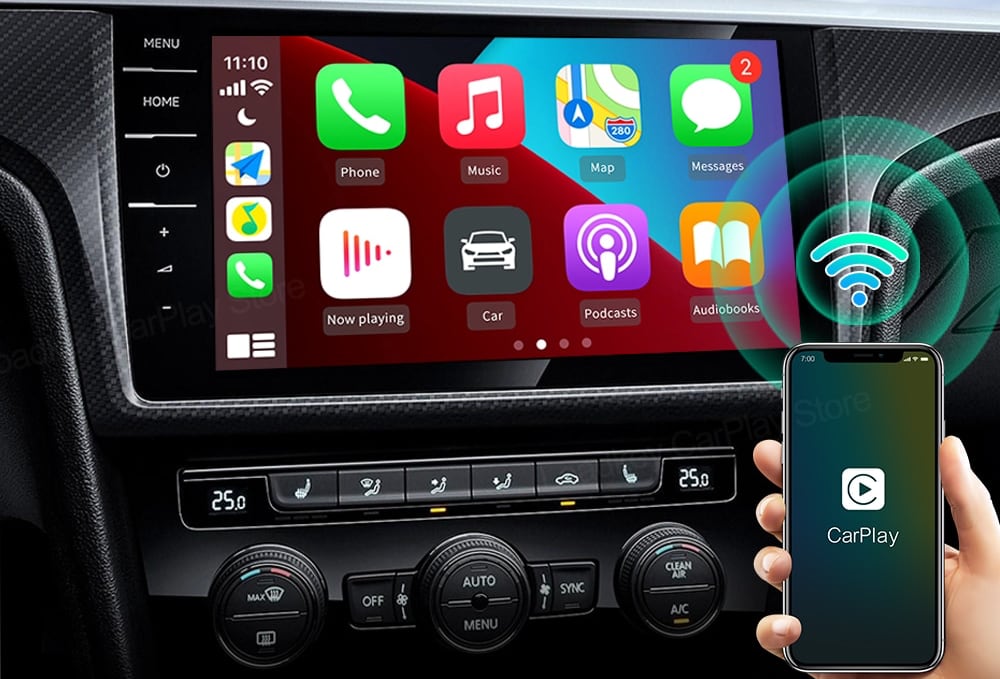
A CarPlay AI Box is a smart device that connects to your vehicle’s factory wired CarPlay USB port. Instead of replacing your original car screen, it upgrades the existing display with a separate Android-based system.
With a compatible CarPlay AI Box, you can usually access features such as:
-
Wireless CarPlay
-
Wireless Android Auto
-
Android apps
-
YouTube
-
Netflix
-
Disney+
-
Kodi
-
Music apps
-
Navigation apps
-
SD card offline video playback
-
Bluetooth accessories
-
Plug-and-play USB connection
This makes it a practical upgrade for drivers who want more entertainment and app flexibility from their factory car screen.
Best Apps to Use with a CarPlay AI Box
A CarPlay AI Box opens the door to many apps that native Apple CarPlay does not support.
Here are some popular app categories for a CarPlay AI Box.
Video Streaming Apps
Popular video apps include:
-
YouTube
-
Netflix
-
Disney+
-
YouTube TV
-
Prime Video
-
Hulu
-
HBO Max
-
Peacock
-
Tubi
These apps are best used when the vehicle is parked or by passengers where legally allowed.
Media Player Apps
Some drivers like to play offline video or local media files.
Popular media apps include:
-
VLC
-
Kodi
-
Plex
This is useful for road trips, camping, EV charging stops, or family travel.
Music and Audio Apps
You can also use music and audio apps through the Android-based system.
Popular options include:
-
Spotify
-
YouTube Music
-
Amazon Music
-
TIDAL
-
SiriusXM
Navigation Apps
Depending on the device and setup, users may also access Android navigation apps.
Popular options include:
-
Google Maps
-
Waze
-
Other Android navigation apps
Why Choose Transcend Car Box?
If you want to use entertainment apps and wireless connectivity on your factory car screen, Transcend Car Box is designed to upgrade vehicles with factory wired CarPlay.
Instead of only turning wired CarPlay into wireless CarPlay, Transcend Car Box gives your car screen a smarter Android-based experience.
With Transcend Car Box, you can enjoy:
-
Wireless CarPlay
-
Wireless Android Auto
-
YouTube
-
Netflix
-
Disney+
-
Kodi
-
Offline video playback
-
Android apps
-
Bluetooth accessories
-
USB plug-and-play setup
It is designed for drivers who want more than a basic wireless adapter.
Transcend Car Box Performance and Storage
Transcend Car Box is built for a smoother in-car entertainment experience.
It comes with:
-
8GB RAM for smoother system performance
-
128GB storage for apps, media, and files
-
Android-based system for app flexibility
-
Support for many popular streaming and media apps
-
Plug-and-play connection through the factory wired CarPlay USB port
With more memory and storage, you can download your favorite apps and enjoy a more complete smart car screen experience.
Popular apps that users may install include:
-
YouTube
-
Netflix
-
Disney+
-
YouTube TV
-
ESPN
-
Tubi
-
HBO Max
-
Prime Video
-
Plex
-
Peacock
-
Kodi
App availability and performance may vary depending on app updates, region, internet connection, and vehicle compatibility.
Is Transcend Car Box Compatible with Your Car?
Transcend Car Box is designed for vehicles with factory wired CarPlay.
Before buying, check whether your vehicle can launch Apple CarPlay by connecting an iPhone to the factory USB port. If your car supports wired CarPlay, it may be compatible with Transcend Car Box.
You should check:
-
Whether your car has factory wired CarPlay
-
Whether the USB port supports CarPlay data connection
-
Whether you are using the original factory screen
-
Your car brand, model, and year
-
Any known compatibility limitations
If you are not sure, check compatibility before ordering or contact support with your vehicle information.
When Should You Use Video Apps on a Car Screen?
Video apps such as YouTube, Netflix, and Disney+ should not be used by the driver while driving.
They are best used:
-
When parked
-
While waiting in the car
-
During EV charging
-
During camping or road trips
-
By passengers where legally allowed
Always follow local laws and drive safely.
FAQ
Can I install any app on Apple CarPlay?
No. Native Apple CarPlay only supports selected CarPlay-compatible apps. Many apps, especially video streaming apps, do not appear on the native CarPlay screen.
Does Apple CarPlay support YouTube?
No. Native Apple CarPlay does not support YouTube video playback.
Does Apple CarPlay support Netflix?
No. Netflix is not available on native Apple CarPlay.
Does Apple CarPlay support Disney+?
No. Disney+ does not normally appear on native Apple CarPlay.
How can I watch YouTube or Netflix on my car screen?
If your vehicle supports factory wired CarPlay, you can use a compatible CarPlay AI Box such as Transcend Car Box to access YouTube, Netflix, Disney+, and other apps when safely parked.
What apps work with a CarPlay AI Box?
A CarPlay AI Box can support many Android apps, including streaming apps, music apps, media players, navigation apps, and more. App availability may vary by device, region, and app updates.
Do I need wired CarPlay to use Transcend Car Box?
Yes. Transcend Car Box is designed for vehicles with factory wired CarPlay.
Is Transcend Car Box just a wireless CarPlay adapter?
No. A basic wireless CarPlay adapter mainly changes wired CarPlay into wireless CarPlay. Transcend Car Box adds wireless CarPlay, wireless Android Auto, Android apps, streaming apps, offline playback, and more features.
Can I use Transcend Car Box with an Android phone?
Yes. Transcend Car Box supports wireless Android Auto for Android users, depending on vehicle and phone compatibility.
Can I use Transcend Car Box with an iPhone?
Yes. iPhone users can use wireless CarPlay through Transcend Car Box.
Upgrade Your CarPlay Experience with Transcend Car Box
Apple CarPlay is great for navigation, calls, messages, and music. But if you want to unlock more apps like YouTube, Netflix, Disney+, Kodi, offline videos, and Android apps on your factory car screen, a CarPlay AI Box is the better upgrade.
Transcend Car Box is designed for vehicles with factory wired CarPlay and helps turn your original car display into a smarter entertainment and connectivity system.
Enjoy wireless CarPlay, wireless Android Auto, Android apps, streaming entertainment, SD card playback, and more — without replacing your factory screen.

Leave a comment
All comments are moderated before being published.
This site is protected by hCaptcha and the hCaptcha Privacy Policy and Terms of Service apply.